

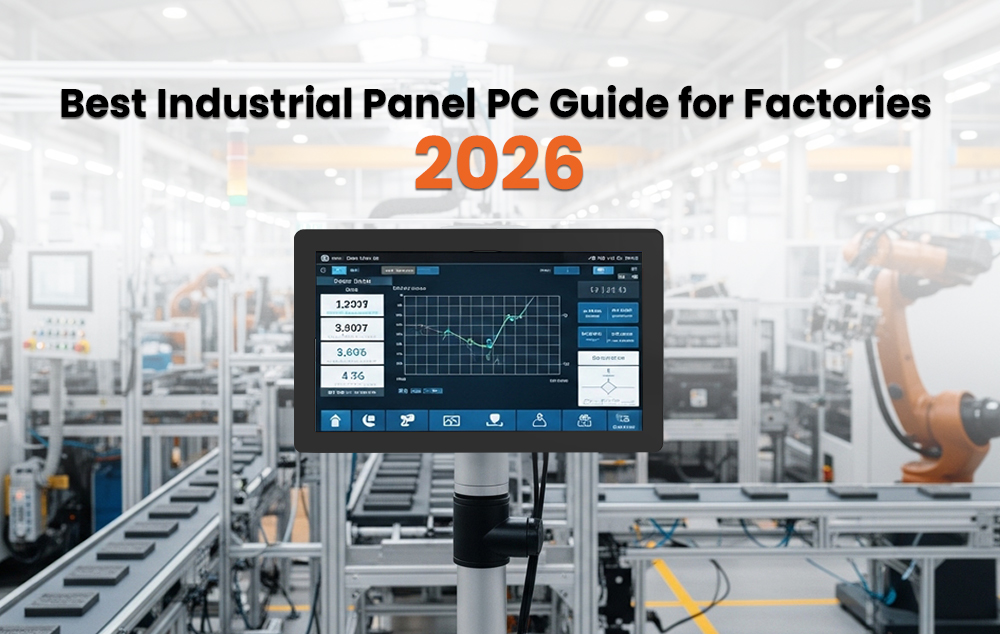
Running a factory, warehouse, or production line requires reliable computing systems that never fail under pressure. Even a short system breakdown can stop production and cost thousands of euros per hour. That is why manufacturers across Germany, France, the Netherlands, Spain, and Poland are increasingly adopting the industrial panel PC as a core part of their automation systems.
An panel PC is designed specifically for harsh industrial environments where standard computers cannot survive dust, vibration, moisture, or extreme temperatures.
Modern factories and retail environments are also shifting toward touchscreen computer systems and touchscreen POS systems to improve speed and accuracy in daily operations.
A touchscreen industrial PC allows operators to control machines, input data, and monitor production with simple finger-based interaction, reducing the need for external keyboards or complex setups. In retail and logistics, a touchscreen POS system helps streamline transactions, inventory tracking, and order management in real time. When combined with industrial-grade hardware, these touchscreen solutions offer both durability and user-friendly operation, making them ideal for smart factories, warehouses, and modern automated environments.
What Is an Industrial Panel PC?
An industrial panel PC is an all in one computer system that combines a touchscreen display, processor, memory, and storage in a single sealed unit. Unlike traditional setups that require separate monitors and CPUs, everything is integrated into one compact device.
This design reduces wiring complexity, saves space inside control cabinets, and improves system reliability. It is widely used as an HMI panel pc (Human Machine Interface) in factory automation systems, allowing operators to control machines and monitor production processes directly from the screen.
Why Industrial Panel PCs Are Important in Modern Manufacturing
With the rise of Industry 4.0 and smart factories, manufacturers need real-time data processing and machine connectivity. Industrial panel PCs play a key role in this transformation by connecting directly to PLCs, SCADA systems, and IoT platforms.
Unlike consumer devices, they are built to withstand harsh industrial conditions such as dust, water exposure, and continuous vibration. This makes them ideal for automotive production, food processing, logistics, pharmaceuticals, and energy industries.
Types of Industrial Panel PCs
Fanless vs Fan-Cooled Systems
A fanless panel PC uses passive cooling through its metal chassis. Since there are no moving parts, it is highly reliable and requires almost no maintenance. It is the preferred choice for dusty or high-vibration environments.
Fan-cooled systems offer higher processing power but include mechanical fans that require maintenance and are more prone to failure in harsh environments.
PCAP vs Resistive Touch
PCAP (Projected Capacitive) touchscreens work like smartphones, supporting multi-touch and fast response. They are ideal for modern factory environments where operators use bare hands or light gloves.
Resistive touchscreens respond to pressure and can be operated with thick gloves or tools, making them suitable for heavy industrial or chemical environments.
Key Specifications to Consider
IP Rating
The IP rating defines protection against dust and water:
- IP65: Dustproof and water-resistant
- IP66: High-pressure water protection
- IP67: Temporary water immersion
- IP69K: Maximum protection for washdown environments
For most factories, IP65 or higher is required.
Temperature Range
panel PCs typically operate between -20°C to 60°C, with advanced models supporting even wider ranges for outdoor or extreme environments.
Processor Options
- Intel Atom: Basic HMI applications
- Intel Core i3/i5: Multi-tasking and SCADA systems
- Intel Core i7: Advanced analytics and AI-based applications
Screen Size & Brightness
Common sizes range from 10 to 21 inches. Indoor systems require 350–700 nits brightness, while outdoor or sunlight environments need 1000+ nits for clear visibility.
Industrial Applications in Europe
Industrial panel PCs are used across multiple industries:
Factory Automation: Machine control and robotic systems in Germany and Poland
Food & Beverage: Washdown production environments in France and Spain
Logistics: Warehouse automation and vehicle-mounted systems in the Netherlands
Healthcare: Medical monitoring systems in hospitals
Energy Sector: SCADA and remote monitoring in power plants and utilities
How to Choose the Right Industrial Panel PC
Start by analyzing your environment. Dust, water exposure, and temperature conditions determine the required IP rating and enclosure type.
Next, choose the screen size based on operator interaction. Smaller screens are suitable for simple control tasks, while larger screens are better for complex monitoring systems.
Select the touch type based on operator usage conditions. PCAP is ideal for clean environments, while resistive is better for heavy-duty industrial use.
Finally, match the processor with your workload and ensure compatibility with your operating system such as Windows IoT or Linux.
Panel PC vs Industrial Monitor
An industrial monitor is only a display and requires an external computer. In contrast, a panel PC integrates both computing and industrial display in a single device.
This reduces installation complexity, saves space, and improves system reliability, making panel PCs a better choice for most modern automation systems.
Why Panel PCs Are Worth the Investment
Although panel PCs are more expensive than consumer devices, they are designed for long-term reliability. Consumer-grade systems often fail in harsh environments, leading to costly downtime.
Industrial systems can operate for 7 to 10 years with minimal maintenance, making them more cost-effective over time when considering production losses due to system failures.
Frequently Asked Questions
What does an industrial panel PC actually do in a factory?
It acts as the human-machine interface, the point where the operator communicates with the machine. It shows live data from the production process, accepts commands through the touchscreen, and connects to PLCs, SCADA systems, and production management software. It replaces the old setup of a separate computer, monitor, and keyboard with one clean, sealed unit mounted directly into the machine or cabinet.
What IP rating do I need for a food processing facility?
For areas with light water exposure, IP65 is the starting point. For high-pressure washdown zones where hot water and chemical sanitizers get used every day, you need IP69K. That rating confirms the unit can handle water at 80°C and 80 to 100 bar of pressure from every direction without anything getting inside. A stainless steel enclosure is strongly recommended for areas in direct contact with food products.
What is the difference between a panel PC and an industrial monitor?
An industrial monitor is a screen with no computer inside it needs an external PC to function. An industrial panel PC has everything built in: processor, memory, storage, operating system, and display in one sealed unit. For most new projects, the all-in-one panel PC reduces complexity, saves cabinet space, and costs less to maintain over time.
How much does an industrial panel PC cost in Europe?
Entry-level fanless units with a 10-inch screen, Intel Atom processor, and IP65 rating start at around €800 to €1,500. Mid-range systems with a 15-inch display, Core i5, and IP65 or IP66 rating run from €1,500 to €3,500. High-performance units with large screens, Core i7 processors, IP69K certification, and stainless steel enclosures can reach €3,500 to €8,000 or more depending on the configuration.
How long will a fanless industrial panel PC last?
A properly specified fanless system from a reputable manufacturer typically runs reliably for seven to ten years in the environment it was rated for. Because there is no fan, there is no mechanical wear point waiting to fail, and the fully sealed enclosure keeps dust away from the internal components for the entire service life. Leading manufacturers including Advantech, Beckhoff, and Siemens back this with formal extended lifecycle programs.
Can these systems run Windows 11 in a production environment?
Yes. Most current industrial panel PC platforms support Windows 11 IoT Enterprise Microsoft’s industrial operating system variant with enhanced security, extended support timelines, and a unified write filter that protects the operating system from being corrupted during production. Always confirm driver support and HMI software compatibility with your hardware vendor before purchasing.
When should I choose PCAP touch and when should I choose resistive touch?
Choose PCAP when your operators work with bare hands or thin gloves and need multi-touch, clear visuals, and fast response. Choose resistive touch when operators wear thick protective gloves, use tools near the screen, or work in chemical or food processing environments where
heavy hand protection is mandatory. If you are not sure, ask the people who will actually be using the screen every day.
Conclusion
Choosing the right industrial panel PC is about matching technology with real-world industrial conditions. Factors such as environment, IP rating, processor power, and touch technology all play a critical role.
A well-selected panel PC ensures stable performance, reduces downtime, and supports modern smart factory operations. In today’s Industry 4.0 environment, it is not just a tool, it is a necessity for efficient and reliable production. In many setups, industrial touchscreen monitors are also used alongside panel PCs to provide additional display flexibility, enabling operators to visualize data, control processes, and manage production lines more effectively.