

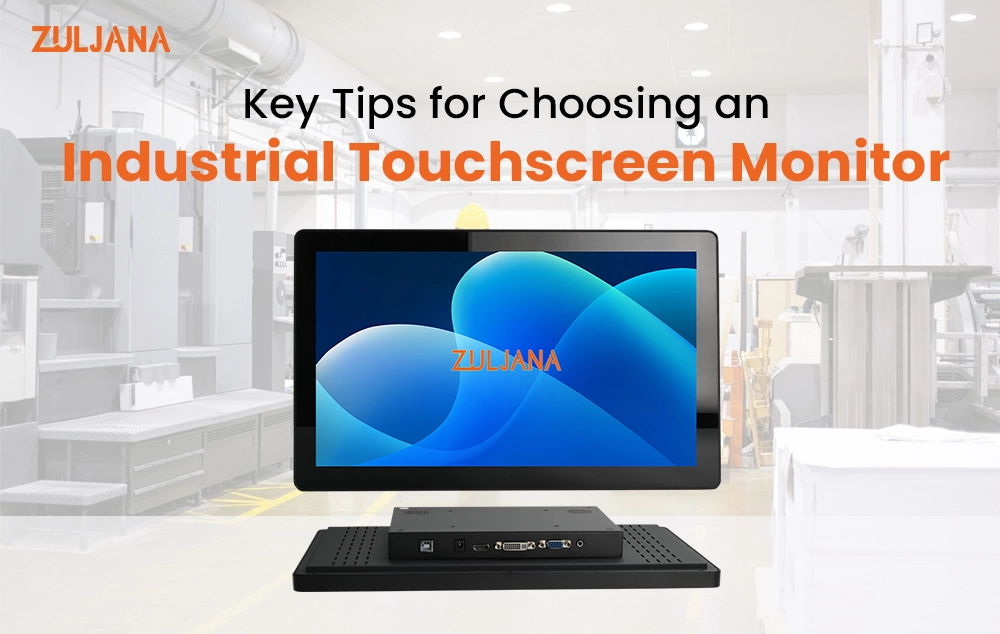
Choosing the right industrial touchscreen monitor is one of the most important decisions a plant manager, operations engineer, or procurement specialist can make. Whether you are running a manufacturing facility in Germany, managing a logistics hub in the Netherlands, operating a food processing plant in France, overseeing an automotive line in Spain, or scaling up a production facility in Poland, the wrong display can cost you thousands in downtime, repairs, and lost productivity.
This guide walks you through everything you need to know before investing in an touchscreen monitor, so you can make a smart, confident decision that serves your operation for years to come.
Why European Industries Are Switching to Right Industrial Touchscreen Monitors
Across Europe, Industry 4.0 is no longer a buzzword. It is reshaping factory floors, control rooms, and warehouses from Barcelona to Warsaw. At the heart of this transformation is the industrial touchscreen monitor, a rugged high-performance display that replaces traditional keyboards and consumer-grade screens with a single intuitive interface built for continuous operation.
The demand for rugged panel PCs, HMI displays, and waterproof touchscreen monitors is growing fast across Germany, Spain, France, the Netherlands, and Poland. This growth is driven by stricter automation requirements, CE compliance standards, and the need for smarter, more connected production lines where human-machine interaction must be fast, accurate, and fatigue-free. If you are searching for the touchscreen monitor for a factory floor in Europe, this guide gives you the exact framework to buy right the first time.
Step 1: Assess Your Environment First
Before comparing specs or requesting a quote, take an honest look at your workspace. The environment where your industrial touchscreen monitor will operate determines almost every other specification decision you make.
In German automotive plants, monitors face heat, vibration, and oil mist simultaneously, making a rugged panel PC with a sealed enclosure essential. In Dutch logistics warehouses, sharp temperature swings between cold storage and loading bays are the daily challenge. In Spanish food processing facilities, regular high-pressure washdowns are the norm, so a waterproof touchscreen monitor with a high IP rating is not a luxury but a non-negotiable requirement. In Polish manufacturing plants scaling rapidly for export markets, the priority is budget-conscious durability backed by full EU certification.
Matching the monitor to the environment is the foundation of every smart industrial display purchase.
Step 2: IP Ratings Explained for Industrial Buyers
The Ingress Protection rating is your most important durability indicator when selecting an industrial touchscreen for any European facility.
IP65 is the baseline. An IP65 rated industrial touchscreen monitor is fully dust-tight and protected against low-pressure water jets from any direction, suitable for most factory floors and indoor assembly settings across Germany, France, and Poland. IP66 steps up to guard against powerful water jets, making it the right choice for food and beverage plants in France and the Netherlands where cleaning cycles run multiple times per day.
For pharmaceutical facilities, dairy operations in Germany, or meat processing sites in Poland, an IP69K stainless steel touchscreen monitor is worth every cent. IP69K survives high-pressure, high-temperature steam cleaning, and in those environments it is not a premium specification but a basic operational requirement.
Choosing a lower IP rating than your environment demands is the most common and costly mistake European buyers make. The screen fails early, replacement costs pile up, and production pays the price.
Step 3: Choosing the Right Touch Technology
Selecting the right touch technology is one of the most technically significant decisions when purchasing an industrial touchscreen monitor for facilities across Spain, Germany, France, the Netherlands, or Poland.
Resistive touch responds to physical pressure and works accurately with gloved hands, styluses, and in wet or oily conditions. If you are looking for a resistive touchscreen monitor for glove use in a warehouse or on a messy production floor in Spain or Poland, resistive touch is your reliable, cost-effective answer.
Capacitive touch delivers the smooth, fast interaction people associate with smartphones. It suits clean environments like HMI panels in German and French control rooms where operators work without thick gloves. For a VESA mount industrial touchscreen display in a control room with controlled lighting and clean conditions, capacitive touch performs excellently.
Projected Capacitive touch, or PCAP, is the most advanced option and increasingly the preferred choice for modern European industrial deployments. A rugged panel PC with PCAP touch for automotive manufacturing supports genuine multi-touch, operates through standard industrial gloves, and holds up against dust and moisture. PCAP is the right call for any Industry 4.0 HMI setup where precision and speed directly affect production output.
Step 4: Display Size, Resolution, and Brightness
Size, resolution, and brightness together determine whether your industrial touchscreen monitor actually serves operators well across an entire shift or becomes a daily frustration they work around.
For compact control panels, 10 to 15 inch screens are usually sufficient. For process monitoring dashboards and HMI operator stations, 17 to 24 inches provide clear visibility without crowding. For production floor overviews and shared terminals in Dutch distribution centers, 27 inches and above let multiple operators read data simultaneously without gathering around the screen.
Full HD at 1920 x 1080 pixels is the practical minimum for industrial use today. Higher resolution reduces eye strain meaningfully over long shifts in German and French facilities where operators work 8 to 12 hours at a time.
Brightness is where many buyers underestimate their actual need. Standard commercial monitors deliver 250 to 350 nits. Well-lit factory floors need 500 to 700 nits minimum. For outdoor or semi-outdoor applications such as loading docks in Spain or port logistics terminals in the Netherlands, a sunlight readable industrial monitor at 1000 nits is not optional. Wide anti-glare viewing angles of 170 degrees or more ensure the screen remains readable from any approach angle, which matters enormously in high-traffic warehouses and shared operator terminals.
Step 5: Certifications, Build Quality, and Connectivity
European buyers operate within some of the world’s most rigorous industrial compliance frameworks, and you should use them as a filter when selecting an Best industrial touchscreen monitor.
CE marking is mandatory for all equipment sold within the EU. Always verify it. For hazardous locations such as chemical plants and refineries, look specifically for ATEX certification. An HMI display with CE and ATEX certification for hazardous environments is a legal requirement in those settings across all EU member states, not an optional extra.
For build quality, aluminum and stainless steel enclosures outperform plastic in every measurable way under industrial conditions. They resist corrosion, absorb impact, and clean up under aggressive hygiene protocols in food-grade and pharmaceutical environments.
On connectivity, confirm HDMI, DisplayPort, and USB support for your setup. For older facilities in Poland and Spain running legacy PLC and SCADA systems, an industrial monitor with RS-232 connectivity is still a critical requirement that cannot be overlooked. VESA mounting compatibility in the 75×75 or 100×100 pattern covers most industrial brackets and panel mount enclosures. Confirm the VESA pattern matches your hardware before ordering to avoid installation delays.
Step 6: Maintenance, MTBF, and Long-Term Reliability
Buying the right Best industrial touchscreen monitor is the first step. Keeping it performing accurately over years of heavy use requires consistent, scheduled maintenance.
Run calibration checks periodically, especially after firmware updates or physical relocation. Clean screens using only manufacturer-approved agents. Avoid ammonia-based products on resistive surfaces. Inspect enclosure seals regularly because a degraded gasket on an IP65 monitor silently becomes a dust ingress point in high-particulate environments.
For long-term planning, MTBF ratings are your most reliable reliability benchmark. For 24/7 industrial deployments in German automotive plants, Dutch distribution centers, or French pharmaceutical facilities, target MTBF figures above 50,000 hours.
A low maintenance rugged display with a high MTBF rating is the difference between a monitor that delivers five years of reliable performance and one that generates recurring replacement costs across your facility. Combined with accessible European service support and an extended warranty, a strong MTBF rating reduces your total cost of ownership significantly over the product lifecycle.
Common Mistakes European Buyers Make
Companies across Spain, Germany, France, the Netherlands, and Poland repeatedly encounter problems that careful specification would have prevented entirely.
Purchasing a commercial-grade monitor for an industrial setting is the single most damaging mistake. Commercial displays are not built for vibration, temperature extremes, or dust and moisture. They fail faster, void warranty terms, and cost far more to maintain than a proper industrial unit purchased upfront.
Ignoring IP ratings, underestimating brightness needs, choosing the wrong touch technology for glove-heavy environments, and skipping CE certification verification are the other four most common errors. Each one is entirely avoidable with the right information before purchase.
Frequently Asked Questions
Q1. What is the best industrial touchscreen monitor for a factory floor in Europe?
The industrial touchscreen for a European factory floor depends on your specific environment. For most manufacturing settings in Germany, Spain, France, the Netherlands, and Poland, look for a monitor with at least an IP65 rating, a PCAP or resistive touch panel, brightness of 500 nits or higher, CE marking, and an aluminum or stainless steel enclosure. If operators work with gloves, PCAP or resistive touch is essential. There is no single best model for every facility, but these specifications cover the majority of industrial use cases reliably.
Q2. What IP rating do I need for an industrial touchscreen monitor in a food processing plant?
For food processing plants, a minimum of IP66 is recommended, and IP69K is the gold standard. An IP69K rated industrial touchscreen with stands high-pressure, high-temperature steam cleaning, which is standard practice in food and beverage facilities across France, the Netherlands, and Spain. IP65 is sufficient for light moisture exposure but will not hold up under aggressive daily washdown routines. Always match the IP rating to your worst-case cleaning scenario, not your average one.
Q3. What is the difference between resistive touch, capacitive touch, and PCAP in industrial monitors?
Resistive touch responds to physical pressure and works with gloves, styluses, and in wet or oily conditions, making it ideal for warehouse and production floor environments. Capacitive touch is faster and more precise but requires bare skin or capacitive-compatible gloves, suiting clean control room settings. PCAP, or Projected Capacitive touch, is the most advanced option, supporting multi-touch gestures, glove operation, and strong durability against dust and moisture. For modern Industry 4.0 HMI setups, PCAP is increasingly the preferred choice across European industrial facilities.
Q4. Is CE certification mandatory for industrial touchscreen monitors used in Europe?
Yes. CE marking is a legal requirement for all industrial equipment sold and used within the European Union, including industrial touchscreen monitors. It confirms the product meets EU health, safety, and environmental protection standards. For facilities operating in hazardous environments such as chemical plants or refineries, ATEX certification is additionally required by law across all EU member states. Always request and verify both certifications from your supplier before purchasing.
Q5. How many nits of brightness do I need for an industrial touchscreen monitor?
For indoor factory floors and control rooms, 500 to 700 nits is the practical minimum for comfortable operator visibility under industrial fluorescent or LED lighting. For outdoor or semi-outdoor applications such as loading docks, port terminals, or agricultural machinery interfaces, a sunlight readable touchscreen monitor at 1000 nits or higher is necessary to maintain clear visibility in direct daylight. Standard commercial monitors at 250 to 350 nits are consistently inadequate for industrial environments and should be avoided.
Conclusion:
An industrial touchscreen monitor is a long-term operational investment that directly shapes how reliably your facility runs, how confidently your operators work, and how efficiently your business grows in competitive European markets.
Whether you are specifying displays for a new production line in Germany, upgrading an HMI control room in France, deploying waterproof terminals in a Dutch distribution center, installing rugged panel PCs on an automotive line in Spain, or building out an Industry 4.0 facility in Poland, the framework is consistent. Match the monitor to your environment. Verify IP rating and certifications.
Choose the touch technology your operators actually use. Specify brightness and MTBF for your conditions. Plan for VESA mounting, RS-232 connectivity if needed, and long-term maintenance from day one.
If you need expert guidance in selecting the right industrial touchscreen monitor for your specific application, our team is ready to help. Contact us today and let us match you with a solution built for your environment, your operators, and your production goals.